
Metadata-based search
Find documents, projects or parts quickly with targeted metadata filters.

The smart web interface for PRO.FILE DMStec: the full power of the system, without installation, from anywhere, on any device.
PRO.FILE is built for design engineers, technicians and CAD specialists. That is its strength. For everyone else in the company, that is exactly the problem.
Purchasing, invoicing, HR, logistics, field service: they all work with documents every day, need approvals and have to track processes. The PRO.FILE desktop client simply was not made for them. It requires installation, technical background knowledge and a learning curve most departments are not willing to invest in.
So documents travel by e-mail. Approvals wait for someone who happens to be at their desk. Information ends up outside the system. And a large part of PRO.FILE's potential goes unused.
The Atlas Web.Client was built for exactly this situation. It brings the complete PRO.FILE DMStec workplace into the browser - self-explanatory, without installation, on any device. For everyone who works with documents every day.
Find documents, projects or parts quickly with targeted metadata filters.
Add documents directly to PRO.FILE - instantly findable thanks to metadata classification.
Download the files you need to any device, without any hassle.
Approve requests or release invoices, right from the platform.
Edit documents together with colleagues and share links.
Annotate PDFs, images and Office documents directly to communicate changes quickly.
Sign in through your identity provider via OpenID Connect - Entra ID, ADFS, Keycloak or Authentik. No second password, no proxy in front.
Run the signature process straight from the Web.Client, eIDAS-compliant. Available as an add-on.
Manage incoming and outgoing mail - whether classic Outlook or the "new" one.
No click-through demo, no illustration: these are screenshots from the running Atlas Web.Client - with sample data, the way it looks in a PRO.FILE project. Click any image to see it full size.
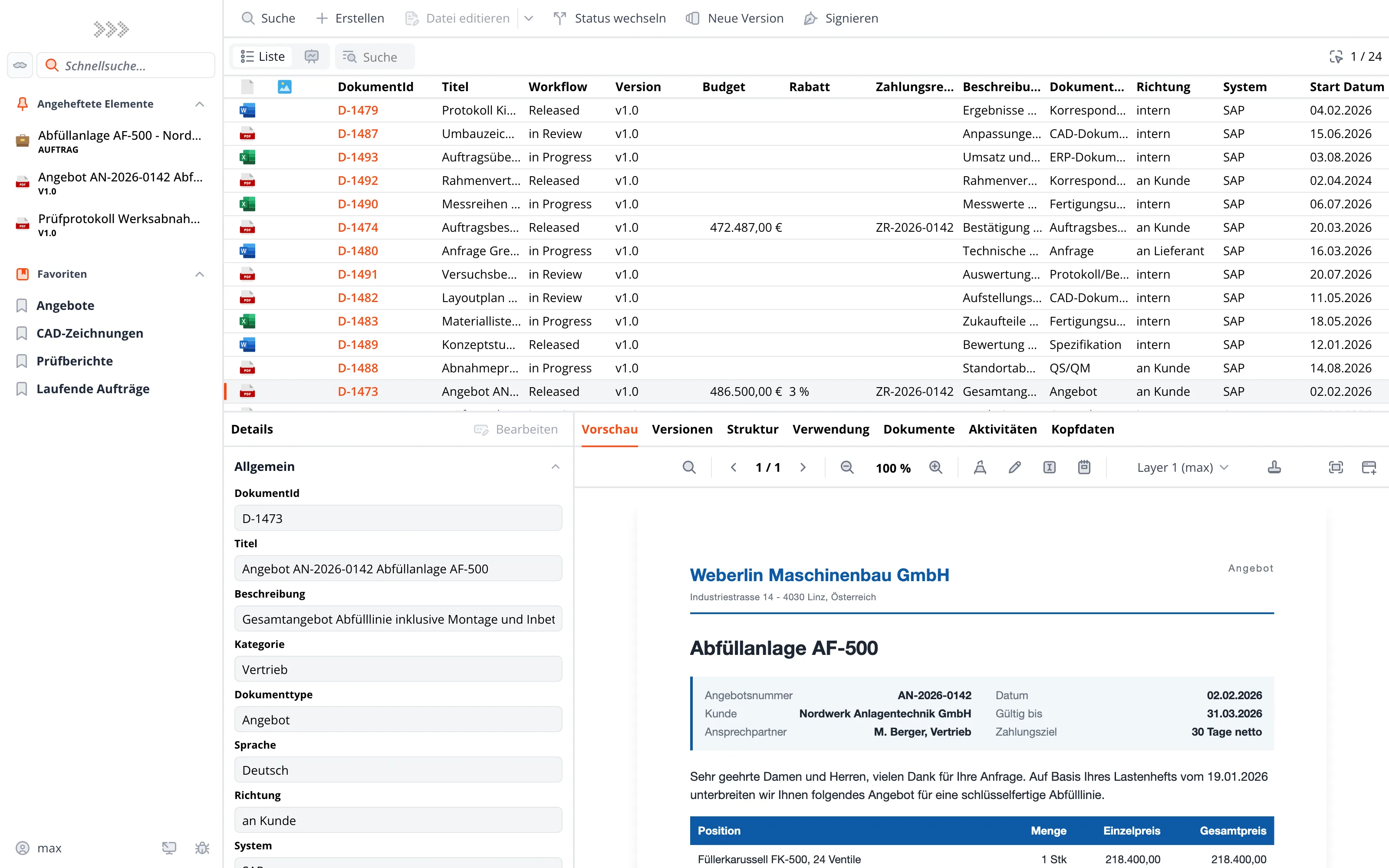
Workplace
At the top, the result list with workflow status, version and the metadata that matters to your department. Bottom left, the fields of the selected document; on the right, its preview. Move one row down - and both follow. No second window, no download, no switching programs.
Search
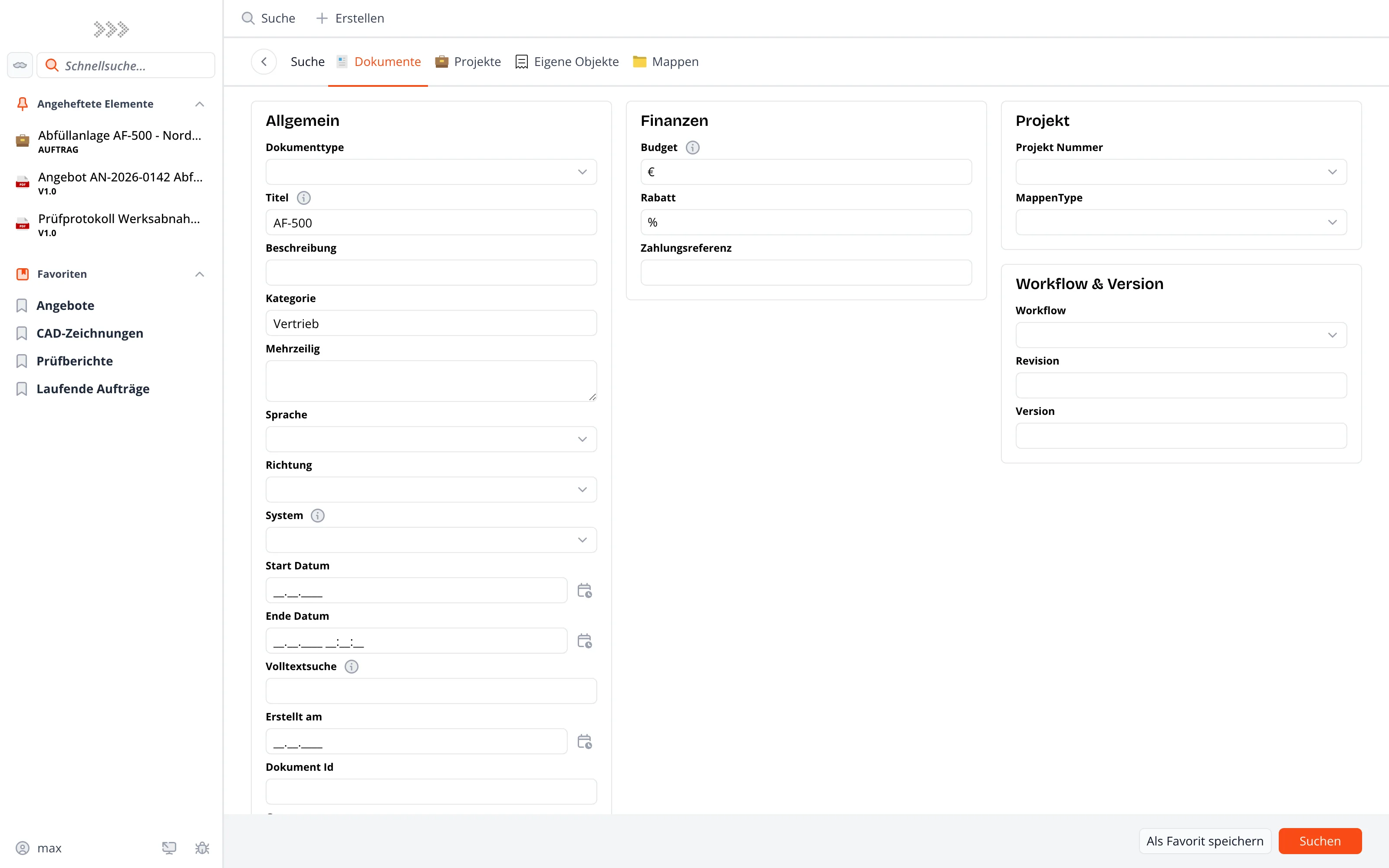
Document type, category, budget, workflow, date range, full text: the search form is built from the metadata of your PRO.FILE installation and grouped by topic. Whatever you need more often, save as a favorite and find it in the sidebar next time.
Projects
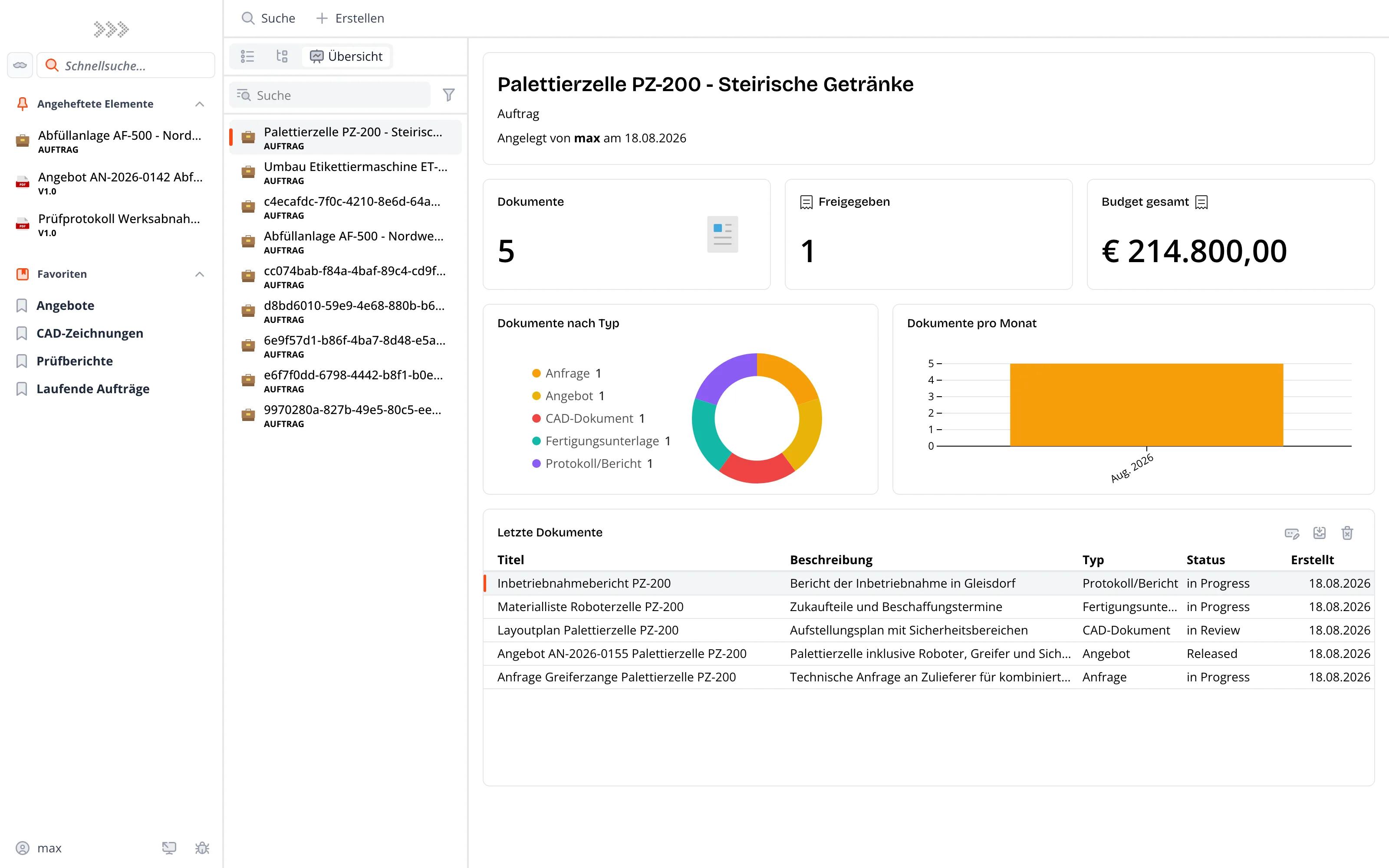
How many documents belong to the order, what has been released, how big is the budget? The overview sums up a project in tiles and charts, with the latest documents listed below - type, status and date included. Which tiles a project type shows is configured - not programmed.
Preview
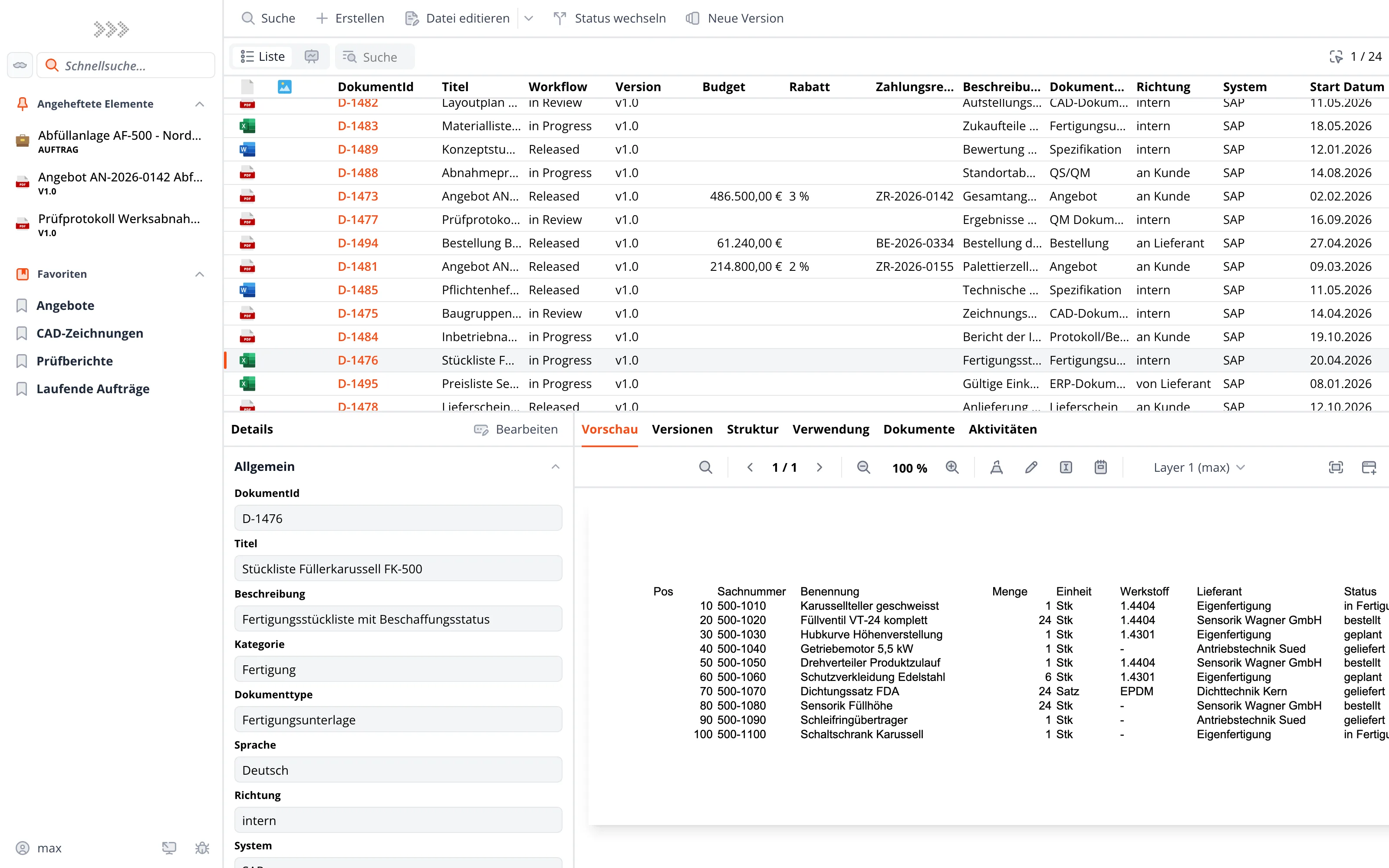
Bills of materials, quotations, delivery notes, e-mails: the Web.Client renders Office files, PDFs and messages in the browser. If you just want to know what is inside, you need neither a download nor an installed application - and the file stays in the system instead of sitting as a copy in your downloads folder.
Getting started
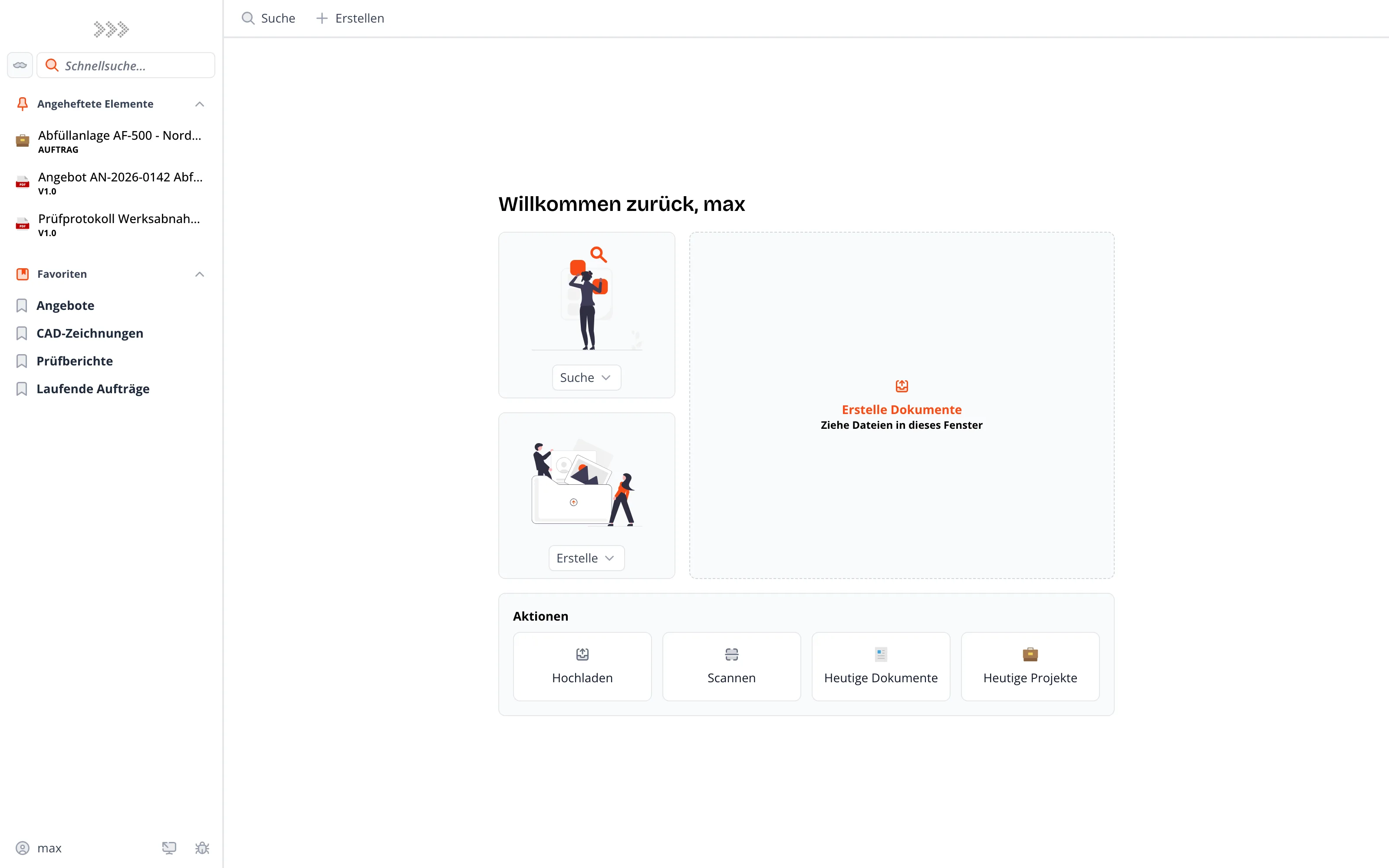
After signing in, your pinned items and saved searches sit in the sidebar, next to the everyday actions: upload, scan, today's documents, today's projects. Files are simply dragged into the window. Nobody needs training for this - and that decides whether a department works with the system or around it.
You are at a customer site, at the airport, on the road. An urgent approval sits in the system. Open the browser, review the document, approve - in a few clicks. No installation, no laptop needed.
Where does the open invoice stand? Who is handling the complaint? When does the contract expire? Your dashboard shows the status of all running processes - configured exactly the way you need it.
The current PDF drawing, the BOM for the assembly - available right on the tablet or terminal. Atlas runs in the browser, on any device, including production.
You are documenting on the construction site, at a delivery or on a service call: with Atlas you take the photo right on your smartphone, assign it to the correct order and file it in PRO.FILE immediately.
All features, use cases and benefits, summarized compactly.
Get started
Get to know the Atlas Web.Client live - no strings attached, using your own use cases.